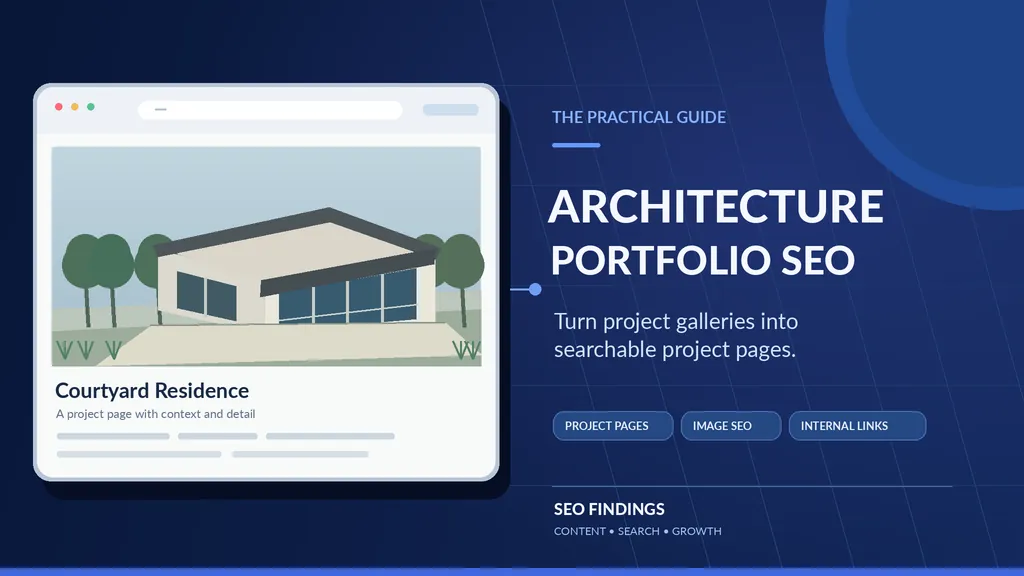
An architecture portfolio should show what a practice can do, not just display attractive photographs. Architecture portfolio SEO helps selected project pages explain the work clearly enough for prospective clients to evaluate it—and for search engines to discover and understand it. The practical approach is to choose projects worth documenting, publish accurate project context alongside the visuals, link them to the right services, and check whether those pages can be found.
You do not need a separate URL for every photograph, a fixed word count, or a block of keywords beneath each gallery. Start with one commercially relevant project and use the process below to decide what deserves its own page, build the page responsibly, and verify the outcome.
What Makes an Architecture Project Page Search-Friendly?
A gallery answers “What does this look like?” A useful project case study also answers “What was the brief, what changed, what was the practice responsible for, and is this relevant to my project?” It is possible to answer both without compromising the visual design. Search engines can use page text, links and image information together to interpret the subject; visitors use those same cues to judge fit.
A strong page can contain a clear project name, a concise summary, an image-led sequence, verified information about project type and scope, the practice’s actual role, a few meaningful design decisions, suitable image descriptions, and a relevant next step. Not every item needs to be displayed as a long paragraph. Project facts can sit in a compact sidebar while the main story supports the drawings and photography.
For example, “Residence 08” tells a new visitor little. “Courtyard House Renovation — Austin” gives more context if the location, project type and attribution are true. The goal is accurate specificity, not turning a portfolio into a list of search terms.
Choose Which Projects Deserve Their Own Pages
Before creating URLs, look at the work your firm would be happy to be hired for again. A major project with its own brief, decisions, visuals and permission to publish may justify an individual case study. A series of similar projects with barely any distinct information may be more useful as one curated collection.
| Portfolio situation | Better next action | Why |
| Distinctive project; documented brief, scope and imagery | Create or improve a dedicated project page | Gives readers a complete, useful project story |
| Existing project URL with strong work but thin information | Improve the existing URL | Retains a coherent page purpose and existing links |
| Several similar projects with little unique information | Curate a shared gallery or collection | Avoids repetitive, low-information pages |
| Confidential or unapproved images and facts | Seek approval or omit restricted material | Maintains contractual and professional accuracy |
| Multiple URLs repeating the same project story | Investigate consolidation | Reduces duplication and conflicting signals |
Decision framework: selecting a page format is an editorial choice, not a Google requirement to publish a particular number of project URLs.
A useful pilot is to shortlist three to five projects, then implement one fully before rolling out a template. Prioritise projects with reliable information, a recognisable specialism and relevance to the type of commission your practice wants. If your team cannot document the project responsibly, do not invent details to fill the page.
Map the Search Intent Before Writing
A service page, a project page and an educational guide serve different decisions. Someone searching for a residential architect may want to compare providers. Someone searching for courtyard renovation projects may be exploring design evidence. Someone asking how to prepare a portfolio is looking for instruction. Giving each purpose a suitable home helps people navigate and reduces unnecessary overlap.
| Example search | Best page purpose | What to show |
| residential architect in Austin | Residential architecture service page | Real service scope, legitimate service area, portfolio proof and enquiry route |
| courtyard house renovation Austin | Relevant, authentic project page | Project brief, images, actual design role and related service |
| how to optimize architecture project pages | Educational article | Step-by-step instruction and worked examples |
| architecture portfolio template for students | Student portfolio resource—not this commercial guide | Job or admissions portfolio advice |
Search phrases are illustrative examples, not verified search-volume claims or proposed city pages for SEO Findings.
Location accuracy matters. A project completed in a city does not establish that a practice has an office there. Describe where the work happened, where the practice actually serves clients and what the firm is authorised to claim—without combining those facts into a fabricated local presence.
Collect the Project Evidence Before Editing Copy
The most effective starting point is a short interview or approved brief from the practice. Ask the project lead for the information behind the work rather than writing generic claims from images alone. The practice, not the SEO writer, must validate architectural facts and professional responsibilities.
A project-page briefing sheet
- Identity: approved project name, project type and status (concept, in progress or completed).
- Location: place name at a level that the client and practice permit publishing.
- Scope: what the practice was commissioned to do and which project stages it delivered.
- Brief: the genuine client needs and constraints, excluding confidential information.
- Design response: decisions the practice can substantiate, including relevant materials or site considerations.
- Evidence: approved photography, drawings, captions, photographer credit and collaborator attribution.
- Outcome: factual project status or observable outcomes; no invented performance or business figures.
- Next step: the relevant service, related project and contact path for a suitable prospective client.
If a practice contributed concept design but was not the architect of record, say so where that distinction is material. If photography is licensed only for a portfolio page, confirm whether reuse in blog graphics or promotions is allowed. Real project pages may need client, contractor or photographer approval before publication.
Worked Example: Rewrite a Thin Project Listing
The entire Willow Courtyard example below is fictional and created only to show a repeatable writing method. It is not a real building, a verified commission, a client case study or evidence of SEO performance.
Before: a generic listing
| Element | Weak illustrative version |
| Page URL | /projects/project-14/ |
| SEO title | Project 14 | Example Practice |
| H1 | Project 14 |
| On-page copy | A modern house with a central courtyard. View the gallery. |
| Next step | No related service or contact option |
This page identifies almost nothing about the project. The reader cannot tell whether it is a renovation or new build, whether the practice designed it, or what the images demonstrate.
After: a complete illustrative project page
| Element | Improved illustrative version |
| Page URL | /projects/willow-courtyard-renovation-austin/ |
| SEO title | Willow Courtyard Renovation in Austin | Example Practice |
| H1 | Willow Courtyard House Renovation |
| Project type | Residential renovation — fictional teaching example |
| Location | Austin, Texas — fictional teaching example |
| Practice role | Concept design and spatial planning — hypothetical |
| Related service | Residential renovations — link only if the practice genuinely offers it |
Sample project overview: The fictional Willow Courtyard House brief was to improve daylight and circulation in an older single-family home without sacrificing privacy from adjacent properties. The proposed concept reorganised the main living rooms around a planted internal court and introduced clearer connections between indoor and outdoor spaces. This example describes a design concept, not a completed project or verified construction outcome.
The brief and constraints: In this hypothetical scenario, the client wanted a quieter central outdoor space, better connection between the kitchen and living areas, and a way to bring daylight into the interior. The teaching example assumes a narrow residential plot and existing structural elements to be assessed by the actual project team; it does not claim that structural design or permitting was completed.
The design response: The conceptual layout groups common rooms around the courtyard while retaining more private accommodation along the outer edges. A glazed connection provides views into the planted space. On a real page, the architect should explain why the arrangement was chosen, cite any material site restrictions accurately, and distinguish design intention from achieved performance.
Project roles and credits: For this sample, an imaginary practice is credited only with concept design and spatial planning. Any published version based on real work would need to list its actual collaborators, contractor, photographer and appropriate permissions. If work remains at concept stage, the page must not describe images as photographs of a completed building.
Useful next step: “Exploring a residential renovation? Review our residential design service and selected renovation work, then contact the practice with your location, property type and project stage.” A real link should lead to the practice’s genuine service page; it should not be forced to an unrelated landing page.
The search term is not the only improvement. The revised version answers important client questions about project type, contribution and relevance. It also creates a reason to explore the practice’s wider work.
Write Titles, Descriptions and Headings for Humans
A project title should identify the work accurately. Keep a distinctive project name when it matters, but add the project type or context when useful. The H1 does not need to repeat the entire SEO title word for word. If the page is a concept scheme, include that status visibly; do not rely on metadata to correct a misleading headline.
A title tag might read “Willow Courtyard Renovation in Austin | Example Practice” while the visible H1 remains “Willow Courtyard House Renovation.” The opening summary can explain that the page is a concept-design example. Avoid unnecessary geographic references: a project city is helpful context only when true.
There is no official Google minimum of 300 or 600 words for a project page. Write enough to answer the reader’s genuine questions and document the work. Some projects need a brief caption-led page; others merit a detailed case study because their constraints, roles and outcomes require explanation. Google’s people-first content guidance encourages useful, original information rather than writing to an arbitrary length.
Optimise Portfolio Images Without Weakening the Design
Architecture is a visual discipline, so image SEO should improve accessibility and context without flattening the portfolio into technical labels. Start with the images that explain the project: an establishing view, the relevant plan or drawing, and a few details that illustrate the design response. The page should tell visitors what they are seeing and why it matters.
Filename, alt text and caption examples
| Image role | Illustrative filename | Helpful alt text | Caption |
| Courtyard view | courtyard-renovation-concept-view.webp | Concept rendering of a residential courtyard with glazed living spaces on two sides | Concept visual illustrating the proposed courtyard arrangement. |
| Ground-floor plan | courtyard-renovation-ground-floor-plan.webp | Ground-floor concept plan showing rooms organised around the central courtyard | The plan groups living areas around a central outdoor space. |
| Material detail | courtyard-renovation-brick-screen-detail.webp | Concept detail showing a brick screen beside a glazed opening | Proposed screening detail for privacy and filtered daylight. |
These descriptions refer to hypothetical visuals. Do not publish them alongside unrelated or unlicensed photographs.
Use alt text to describe important image content in its page context; do not simply repeat the target keyword. Decorative lines and purely decorative graphics can use empty alt text in the website. Descriptive nearby captions can help both people and search engines understand context. Google’s Image SEO documentation explains these principles.
Image loading and performance
Serve images at suitable dimensions using responsive sources and preserve enough quality for architectural detail. WebP or AVIF can reduce transfer size in suitable cases, but JPEG is not automatically wrong. Test the resulting picture on a real mobile screen and check whether fine lines in drawings and materials remain readable.
Avoid lazy-loading the principal image when that delays the first meaningful view. Off-screen galleries can benefit from lazy loading, provided important content is not dependent on a user clicking or scrolling in a way search crawlers cannot perform. Google’s lazy-loading guidance explains how to keep content accessible.
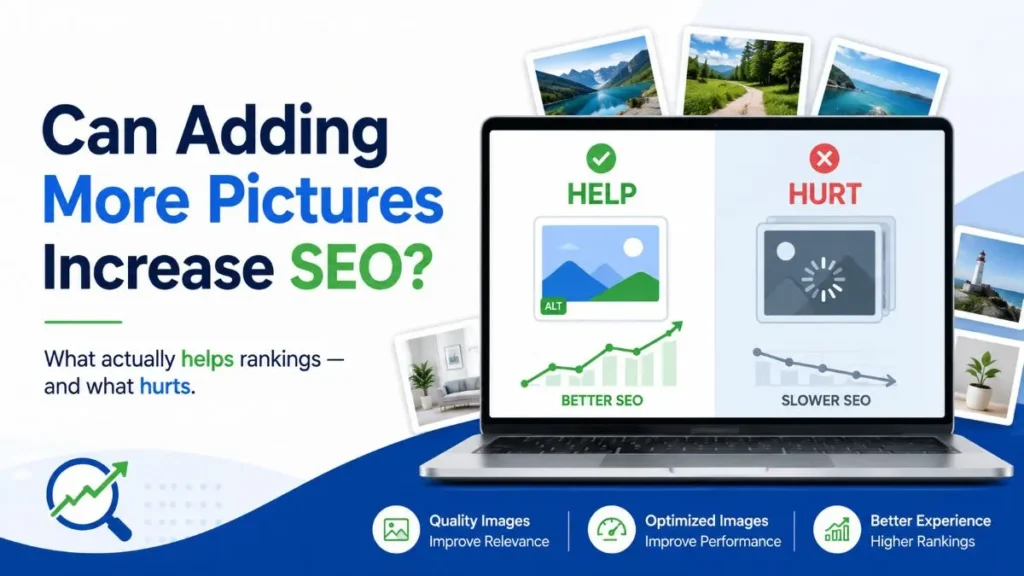
The aim is a usable page, not a perfect lab score. Core Web Vitals help identify loading, responsiveness and layout stability issues, but improving a score does not establish that a project page will rank for a particular query. For a broader look at when images help, see Can Adding More Pictures Increase SEO?.
Link Each Project to the Right Service and Related Work
A prospective client rarely makes a decision after viewing a single project. Their next question is often whether the practice provides the service they need, has comparable work or can discuss their location and timeline. Build links around those decisions.
| From | To | Natural purpose |
| Residential design service page | Relevant residential project | Show credible examples of the actual service |
| Courtyard renovation project | Actual renovation service page | Explain available services and enquiry scope |
| Courtyard renovation project | Relevant completed renovation case study | Help compare similar constraints and work |
| Architecture SEO educational guide | SEO consulting service page | Offer professional help with implementing the guidance |
A visible project card should lead to a stable URL. Use descriptive link text like “View the courtyard renovation concept,” not ten identical buttons labelled “Learn more.” Link only to genuine destinations that are helpful. Do not create service pages for locations or specialisms the practice cannot truthfully support.
For site owners planning a wider search strategy, SEO for Architectural Firms explains how project evidence fits into service targeting, local discovery and qualified enquiries. This article stays focused on the project-page workflow.
Technical QA: Can Google Find and Understand the Project Page?
Do not diagnose a lack of impressions as a crawl blockage. A page can be crawled but not indexed, indexed but rarely shown, or shown to an irrelevant audience. Work through the technical evidence in order before rewriting the page.
Eight checks worth performing
- Open the intended public URL. Confirm it loads without a redirect loop, error page or login requirement.
- Check intended indexability. Review robots.txt crawl rules and the page’s noindex directives separately. A crawl block is not the same as a noindex instruction.
- Confirm the canonical. The page should point to the intended preferred URL; investigate if Google selects a different one.
- Check discoverability. Link to it from the main portfolio collection, a relevant service or another accessible page using a standard HTML link.
- Inspect the actual page content. Confirm key text and image references are available in rendered HTML and that crucial information is not hidden behind unsupported interactions.
- Test mobile presentation. Read the text, open image galleries and use the enquiry route on a narrow screen.
- Evaluate high-impact loading issues. Check major images, dimensions, priority loading and layout stability before recommending plugins.
- Use Google Search Console. Inspect the URL’s indexing status, coverage details and Google-selected canonical; record the result and investigate the real cause.
Sitemap inclusion is a useful discovery signal, not an instruction that forces Google to index a URL. Requesting indexing also does not guarantee a result. Use Google’s indexing FAQ and canonical guidance to interpret the evidence.
Do portfolio pages need special schema for AI search?
No special AI markup is required for a project page to be eligible for Google’s AI search features. The essential work is still to keep useful information accessible, accurate and eligible for normal search. Structured data may be appropriate when it accurately describes what readers can see and fits a Google-supported feature, but it should not invent a completed building, review rating or business address. Neither adding schema nor writing for an AI snippet guarantees appearance or citation. See Google’s guidance on AI features.
If the page is indexed but appears for very few relevant searches, investigate its audience, distinct value and keyword-to-page fit. If it gets impressions but few clicks, check whether the search-result title accurately describes the project. If visitors reach the page but cannot enquire, the problem may be design or conversion friction rather than indexing. Improve Website Rankings Without Ads offers a broader diagnostic workflow.
Measure Relevant Discovery, Not Just Portfolio Views
Search performance and business results should be separated. An impression is not a visit. A click is not a qualified project enquiry. A visitor clicking a contact button is not proof that a completed enquiry was received. Measurement should connect each stage without treating one as a substitute for the next.
| Signal | Where to look | What it can and cannot establish |
| Relevant project-page impressions and clicks | Search Console: Pages and Queries | Shows search visibility; does not establish an enquiry |
| Google Images search traffic | Search Console: Image search type | Shows relevant image-search visibility; pages are reported, not individual image-file outcomes |
| Landing-page use and engagement | GA4, where implemented and consented | Explains on-site behavior, not automatically lead quality |
| Form receipt or phone enquiry | Confirmed contact records | Demonstrates an enquiry arrived if tracked reliably |
| Qualified brief and commission | Practice CRM or reviewed enquiry log | Shows business fit or outcomes, subject to attribution limits |
For a useful baseline, record the URL, date, current Search Console coverage, existing query visibility and whether a reliable enquiry path works. Compare equivalent periods after implementing changes, taking seasonality and low data volume into account. Google’s Performance report documentation defines the underlying search metrics.
For Google Images, use the Image search-type filter rather than assuming standard Web impressions tell the whole story. Even then, Search Console aggregates traffic by the landing page, so it does not provide a clean performance score for every photograph. Google’s image-search reporting notes explain this distinction.
Architecture Portfolio SEO Checklist
Use this checklist on one pilot page before applying changes across the portfolio.
- The project has a clear purpose and adds useful information beyond existing pages.
- Its type, status, location, responsibilities and professional credits are accurate and approved.
- The title, H1 and opening summary identify the real work without keyword stuffing.
- The brief and design response answer questions relevant to a prospective client.
- Images are original or properly licensed, correctly credited and presented at usable quality.
- Meaningful images have context-appropriate alt text; decorative assets do not repeat keywords.
- The page includes relevant links to actual service and related-project pages.
- There is a clear, working way to enquire without interrupting portfolio browsing.
- The intended URL loads, is internally linked and has appropriate indexing directives.
- Canonical and rendered-content checks match the intended URL.
- The page works on mobile, with sensible image priority and no major layout shifts.
- A baseline for project-page visibility and received enquiries has been recorded.
A checklist does not replace a technical audit or the practice’s approval of project claims. It does make the first review faster and helps teams avoid creating attractive pages that cannot perform their intended job.
Make Your Next Project Page Worth Finding
Choose one well-documented project that represents the kind of work your practice wants more of. Decide whether it deserves a dedicated page, collect accurate facts and approved visuals, explain the brief and the real design contribution, and connect the page to its relevant service. Then verify accessibility and measure what visitors actually do next. If you want a second opinion on the search side of that process, SEO Findings offers SEO services for architects. The first review uses public information to identify a sensible starting point; detailed audits, account analysis and implementation are scoped and quoted separately. No specific ranking, indexing or enquiry result is promised.